Document Management Software
A modern BPM system for the complex automation of any company's business processes with no-code tools. The product provides a controlled and managed performance of automated processes for incoming and outgoing documents, internal correspondence, employees’ requests, orders, contracts, establishing digital archive, and conducting staff and personnel documentation

We will send a link to your email
Automation of business processes and document workflow
Grow your business efficiency with the help of system automation of processes, which gives you the possibility to reduce operational costs and the time of employees for processing routine tasks. The product implementation will help you to standardize work, monitor task execution, and minimize risks of confidential data loss due to reliable document storage with 24/7 access
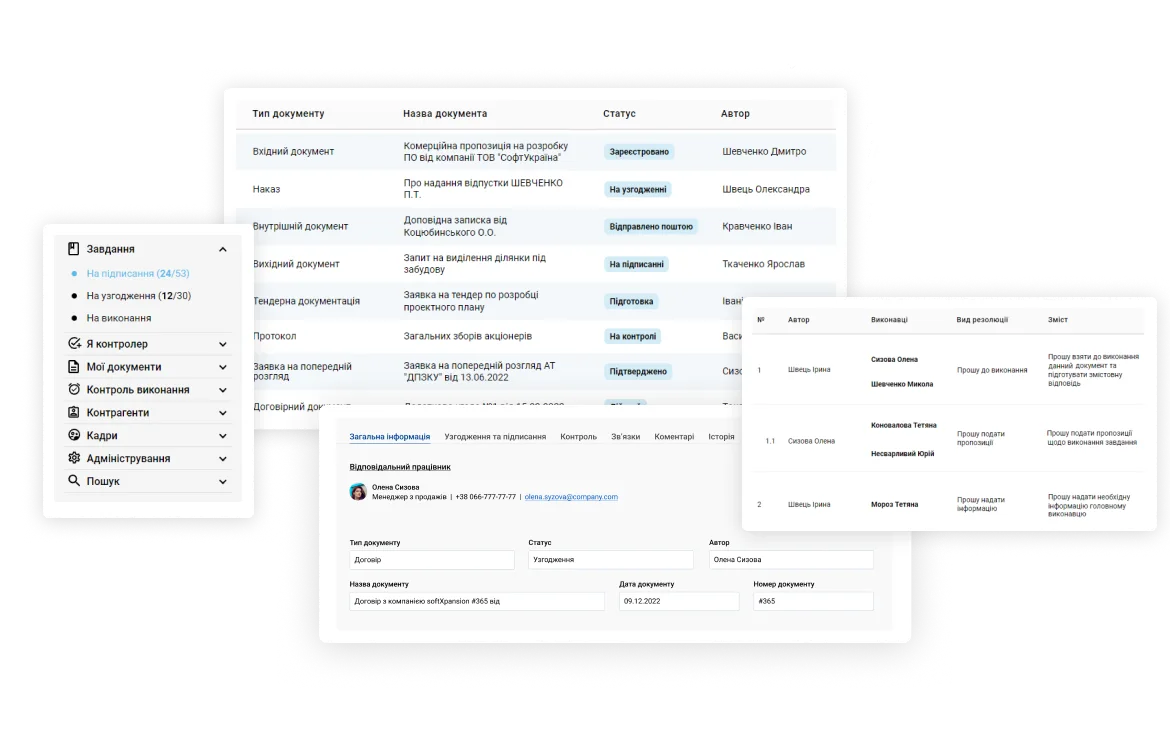
Full functionality in one system
-

Incoming and outgoing documents
Processing all kinds of incoming and outgoing correspondence: preparing, registering, reviewing, operating, approving and sending the answer, executing and monitoring, barcoding support, and integration with email
-

Internal documents
Automation of processes for internal documents approval, signing, and monitoring: employees' requests, orders and resolutions, personnel documentation, service notes, internal regulatory documents, applications for purchase, etc.
-

Meetings and minutes
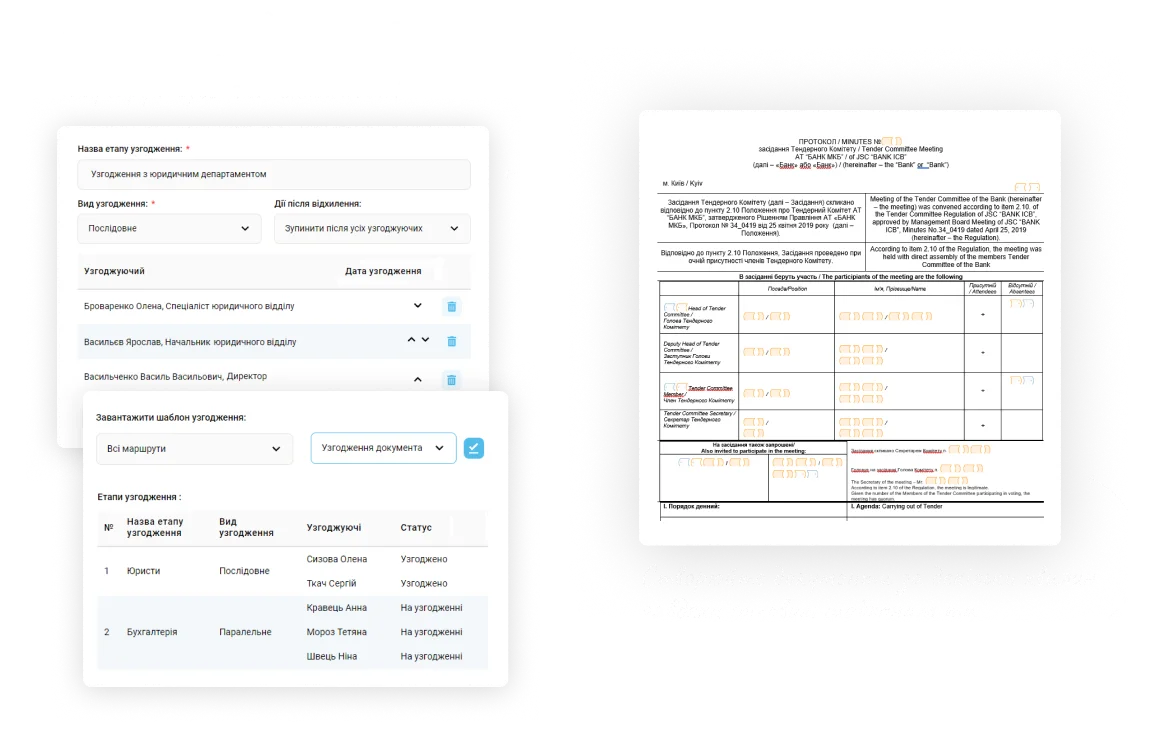
Creation, approval, and holding of conferences and meetings: agenda establishment and approval, voting, generating and signing of protocols, and also assignments creation and control of their execution
-

Contracts
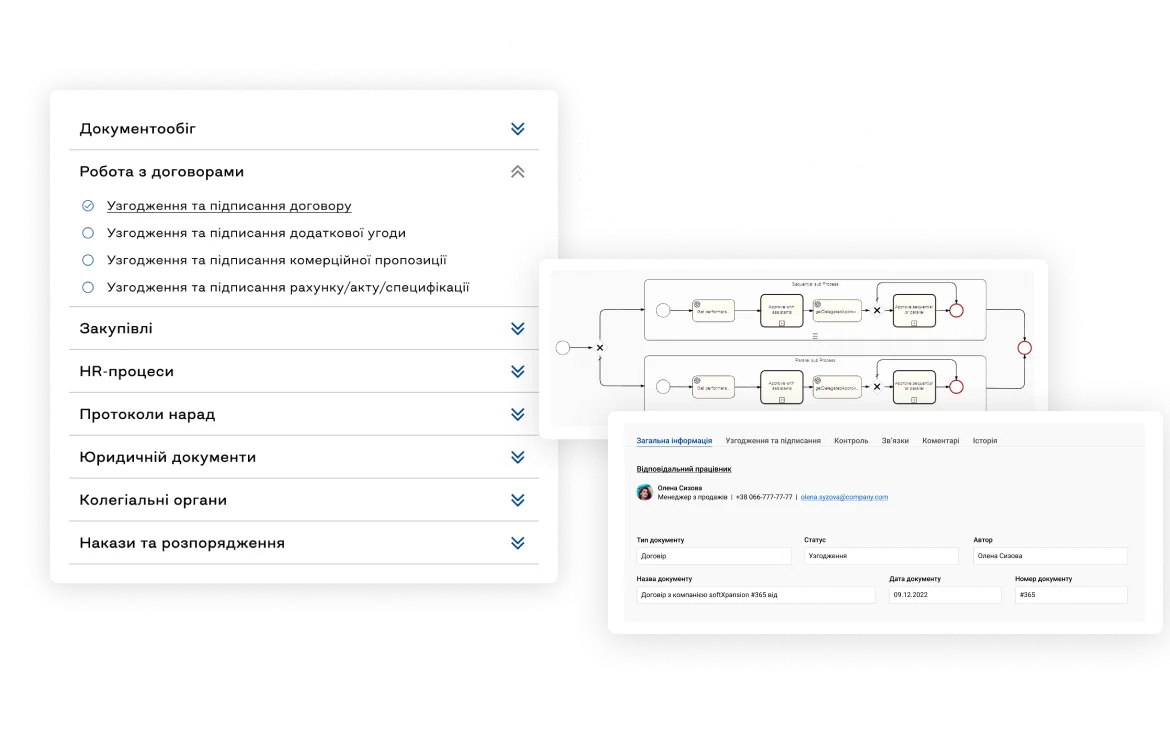
Automation of the company's contracts lifecycle starting from creation, approval, and signing to obligation control, prolongation, and storage. The product allows you to make a registry of contracts and related documents (additional agreements, specifications, acts, invoices, etc) and the company counterparties registry. In addition, it becomes possible to establish a legally significant document workflow with counterparties
-

Employee account
Each employee will get a personal space with all aggregated tasks, assignments, and documents. An employee can set up a dashboard with important messages and information about the last activity. The personal cabinet also contains links to external resources, a directory of business processes, company structure, and colleagues' contacts
-

External users
You will have a full-fledged interaction with your counterparties (clients, suppliers, partners) by creating public forms to fill in or by designing specific emails for quick document approval and giving information
-

Management and monitoring of documents lifecycle
The product provides management of the complete document lifecycle: creation, registration, approval, signing, editing, execution, file attachment, versioning, storage, archive, and transfer, etc.
-

Designer of approval and signing
Employees will be able to build an approval process of any complexity due to the dedicated flexible designer, including easily choosing the approval type (sequential, parallel, mixed), determining persons to approve, and setting up stages parameters. In addition, all events of the document’s lifecycle are kept, including date, time, and comments on document approval
-

Approval processes templates
Typical documents could have predefined approving templates by a bunch of conditions (document type, currency, amount, industry)
-

Digital signature
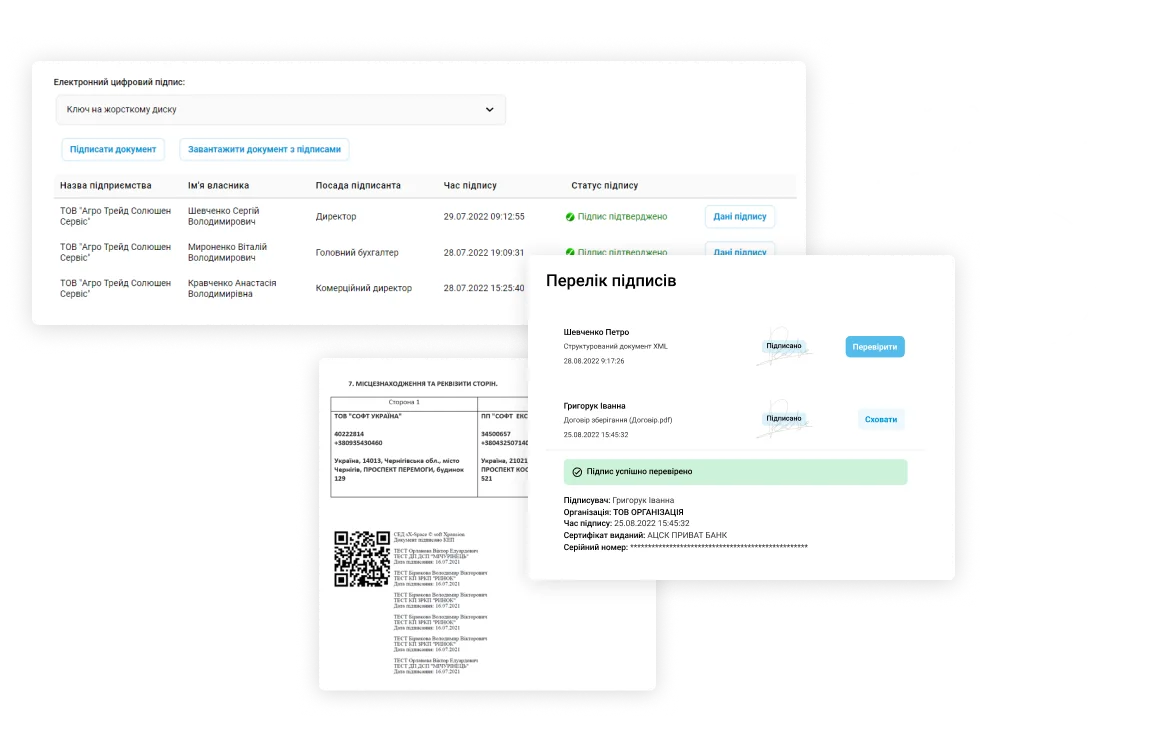
Support of qualified electronic signature (QES) attachment for all document types, and the ability of group operations on several documents, packed digital signing in particular. You will always be able to see the document signatories list with indicating of state and date of signing, verify attached digital signatures, and download a file containing digital signatures (P7S) or the document with overlayed visualization of digital signatures
-

24/7 work with any documents
The product provides all necessary for convenient work with documents through all business process stages. Round-the-clock access to all documents from any device and anywhere, processing any file types, simultaneously editing and reviewing with colleagues online, and converting text documents to download as PDFs
-

Document templates
A flexible document templates configuring (letters, requests, contracts, invoices, orders, minutes, etc.). Make your own library of ready-to-go templates, that will significantly save employees’ working time and will provide abidance to corporate standards. Create a new document in minutes with the help of ready-to-use templates (DOCX, XLSX) and automatic fields autofill from the document card will make that process more convenient and faster than ever
-

Documents registration and numbering
Due to the designer of automatic document enumerators, all system items are registered meeting the company policy, utilizing the mechanism of preventing duplicate registration or cloning. In addition, control over filling document required attributes is present
-

Collaboration on documents
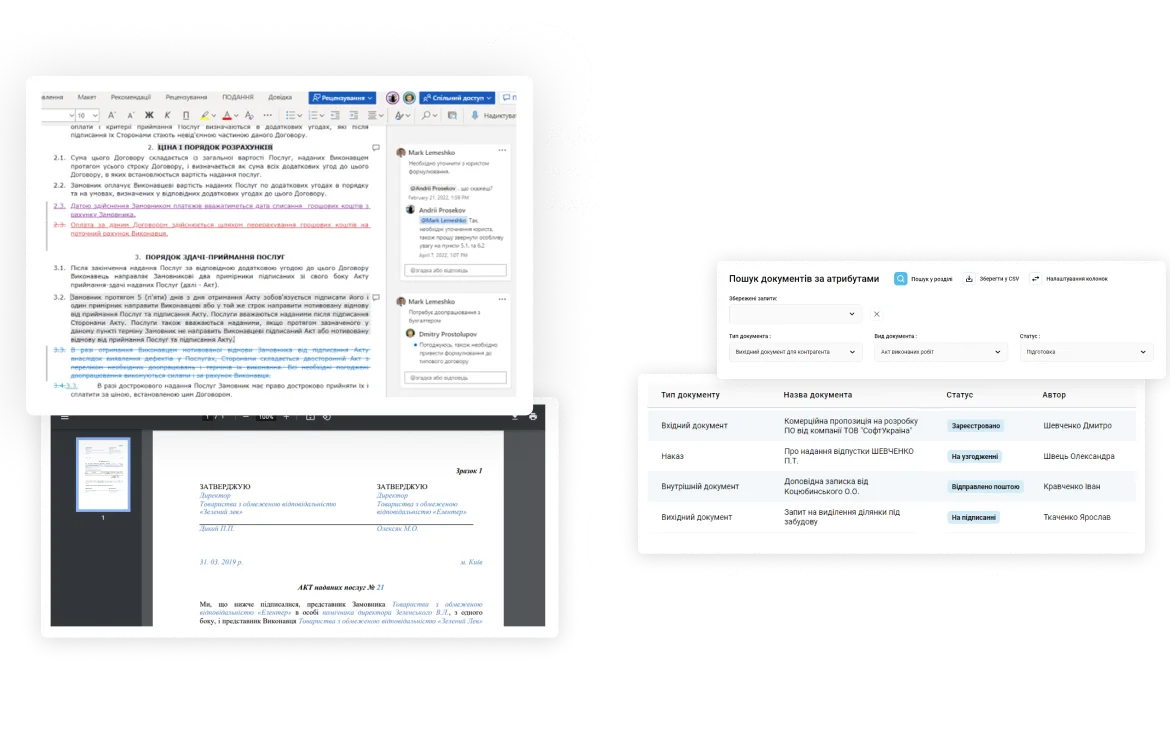
Over the whole document lifecycle, the ability to work online with your team is provided: edit, review, comment, and consolidate changes
-

Discussion and commenting
Discuss important questions and leave comments not only inside the attached file but in the document card too. All comments and answers will be shown in a simple tree view, while some comments may have limited access
-

Checklist for required fields and attachments
To be ensured in correct field filling or completeness of the attached document pack, we made a convenient checklist with indicators. There is also checking for correctness of filling form fields or presence of electronic signatures, and the possibility to comment that
-

Versioning
Keeping all versions of the document while working on it, and support of multi-level document versioning including the ability to compare changes. Thus, provides access to the required document version with no need to search for the necessary revision in the mail, on the desktop, or be forced to create it from scratch
-

Interconnections
Configure connections between document cards or files for permanent access to full information. For example, you can link the incoming and outgoing documents, the appeal with the answer, contracts with additional agreements, invoices, acts, etc.
-

Assignments and monitoring
Powerful tools for task processing and deadline monitoring: taking assignments according to prioritization, control over their execution, evident visualization of overdue tasks or tasks with close execution end term. The function of cyclic control allows you to monitor repeated tasks and events, such as contract prolongation, invoice issuing, giving specifications, or making purchase requests
-

Notifications and reminders
To not miss the control terms and not forget about your tasks, you can get automatic notifications and reminders via email or SMS. You can also configure individual notifications, using the templates (design, content, links, buttons) and setting rules, terms, and actions to notify with
-

Search and filters
A flexible and multifunctional search allows you to quickly find the necessary documents and tasks, which is especially convenient due to the document content full-text search, including morphology. Besides, it is possible to search documents not only on the system level as a whole but in separate categories, set and save filters by attributes, sort and group items, and also export search results to Excel
-

Events calendar
The calendar may contain information about conferences, meetings of councils and committees, holidays, training, and birthdays, and also it allows you to reserve resources (meeting rooms, projectors, screens, etc.). In addition, there is a possibility to integrate with Microsoſt Exchange, Google Calendar, and other calendars
-
Document archive
The ability to establish a full-fledged structured company document archive with 24/7 access to the required information. There is also an export to Excel available of the document database or just a separate list, or search and filter results for later processing
-

Counterparty registry
The registry keeps complete information about each of your counterparties, their details, or personal data. This is where you can get such contact information as addresses, phones of representatives or contact persons, etc.
-

Personnel module
Automation of HR processes (vacations, business trips, sick leave, certificates from the workplace), setting of the automated task delegation to the assistant, and substitution for the temporarily absent employee. Visualization of the organizational subordination of structural divisions/groups and the user card index
-

Personal settings
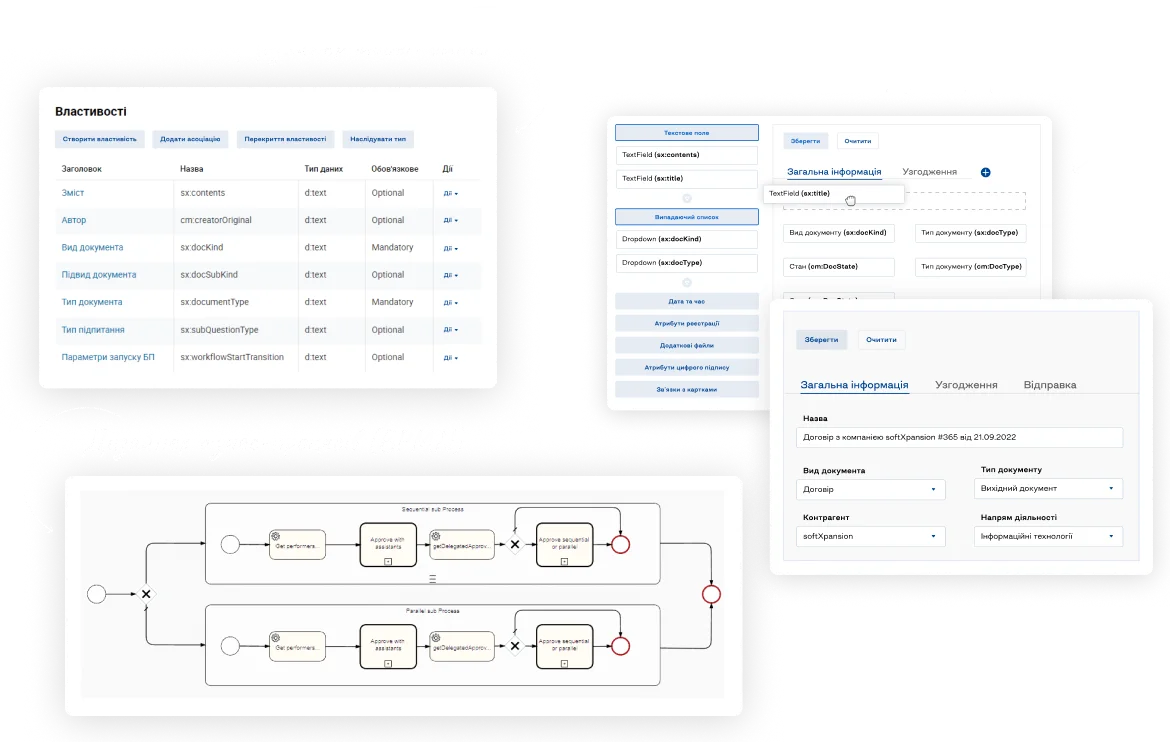
The ability to configure personal routes for business processes, or set system element names and card attributes without coding thanks to low-code/no-code tools (BPMN in particular). The possibility to individually configure most system dictionaries, such as document kinds, forms and types of arrival, appeal subjects, counterparty types, user groups, etc.
-

Administrating
Administrators can configure processes, forms, classifications, and dictionaries, manage roles and rights, conduct system audit, and track actions
-
Role and rights management
A sub-system of managing roles and user rights: flexible configuring of user rights and access policy, setting available functions in the system for different user groups, separating user powers, and full-fledged Azure Active Directory support
-

History and audit
Keeping the detailed history in the system gives you the ability to view this data over the whole system or by a single user and generate audit reports. The complete information about document processing is kept: the course of the approval process, signing, task execution, controlling, saving, and commenting with precise time stamps
-

Bots
Bots for the Viber and Telegram platforms: taking and executing tasks, document and colleagues search, etc.
-

Analytics and reporting
Powerful tools for generating reports, and many built-in templates of information-analytical reports. Use dashboards to visualize the data and understand the key indicators of activity, execution discipline, employees' workload, etc. Integration of business analytics panels, visualization of KPI and trends of changing specified indicators
-

Easy user interface and adaptive design
A systematized representation of information in a standard user interface, a unified cards design, all controls are always in the usual place. Ability to the full-fledged work from a mobile or any other devices, adaptive design for different screen sizes
-

Adaptation under brand book
-

Localization and multilingualism
Support of multilingual user interface (UA, EN, PL, GE), setting of various user-preferred interface languages
Why does the softXspace Business?
-

Time and resources saving
Business allows you to automate a complete range of business processes, that lead to a significant reduction in document processing time, a reduction of up to 60% in operating losses, a 30% reduction in administrative expenses, and a reduction of financial risks due to delays. The time for approval and signing of documents is reduced from 2-3 weeks to 1 hour. The softXspace platform allows you to implement the product on a completely free stack of server products (OS, DB, application server, and development tools). This will provide a low cost of system ownership and extremely low overheads
-

Reliable and safe 24/7 access
The product provides reliable storage of documents in the cloud, avoids confidential data leaks, and provides users secure access at any convenient time. You will be able to have full access to files 24/7 and work from anywhere and at any time, including the ability to teamwork and document online editing, that assists comfortable remote employees operations and interaction simplification of employees from different divisions
-

Standardization and control
Due to the standardization of all working procedures, you can forget about mistakes while one or another business process. Configure standard approval routes, work with typical document templates, that have passed a legal examination, and provide compliance with regulations and all approved procedures. Provide 100% resolution executions thanks to the term monitoring and on-time performance of work duties. Be assured that documents are moved through all required approval and signing stages
-

Modern and proven technologies
We use only cutting-edge technological solutions and our LowCode platform softXspace (the product is built on) allows you to develop solutions on your own by using no-code tools. We use such modern technologies of user identification to secure the data as Bank ID, Mobile ID, QES, and two-factor authorization (MFA). We also provide data encryption both to network transferred data and to the storage of documents and metadata. In addition, our products have a modern design, which is adapted for work on mobile devices and allows working directly in the system through any browser
-

Scaling
The product can be quickly adapted both under small or middle enterprises and under large corporate businesses with widely branched regional structures, with employees and clients throughout the world. Thanks to low-code and no-code tools (BPMN in particular), our products based on the softXspace platform have rich abilities for configuring and development, support horizontal and vertical scaling, and can be used for building fault-tolerant configurations and reliable simultaneous operating of thousands of users
-

Quick setup and implementation
The product can be placed centralized or locally, as it has the possibility to be installed both in the cloud and in your company infrastructure or built as a hybrid solution. Easy product setup allows you to implement it in the organization quickly, adapt it under the processes and corporate standards, and operatively develop the additional functionality. We can also provide solutions for integration tasks, training, detailed product documentation, quality warranty, and service support
Connect integrations
-
softXspace platform
With the help of the softXspace platform capabilities, you can transform your everyday routine work, automate processes and create a modern information space in a short time with minimal costs. Our Low Code tools for the personal development of business processes without programming will allow you to quickly build individual forms, cards, and many more
-

softXspace product line
You can quickly integrate our ready-to-go products with a document workflow system, contract automation, procurement management, etc. Powerful open API (REST, SOAP, a full-fledged CMIS standard implementation) allows you a rapid integration of the product into the company information space
-

Third-party systems
Establish a unified integrated IT infrastructure due to the ability to combine the product with third-party systems: ERP, ECM, DMS, internal portals, The ability to integrate with acounting systems and CRM (Dynamics 365, SAP, Salesforce), automated banking systems, or other systems that support integration abilities
-

Cloud and online services
Ability to integrate with Microsoft 365 services (Outlook, Teams, OneDrive, SharePoint, Microsoſt Exchange, Word, Excel, Power BI, etc.), Google (Drive, Document, Gmail, Calendar, Meet, etc.). Integration with services of electronic signing, online sites of legally significant document workflow, counterparty verification services, etc.
-

Document signing services
Provide a full-fledged legally significant document workflow thanks to the integration of document signing services (use keys of most popular Ukrainian TSP, Diia Sign, digital signature service (DSS), Adobe Sign, DocuSign, and others). Ability to net/cloud storing of keys and rich functionality of signatures visualization
-

Scan and recognition module
Our scan&recognition module allows you to implement the functionality of text recognition from scanned documents of any format, the ability to search by the text content of scanned documents, stream scanning directly into the system, and processing of QR and bar codes
Our clients
World's leading sunflower oil producer and Ukraine's top agricultural exporter

One of the largest manufacturers, processors and traders of agricultural products
The largest Greek bank with 4.5 million customers, named Best Bank in Greece 2025

Ukrainian Commercial Bank
One of the leaders in the banking system of Ukraine
Ranks second in the TOP-20 most reliable banks in Ukraine
The first internal IT service center in the public sector of Ukraine

World’s leading steel company

TOP-3 among pork producers in Ukraine
One of the largest exporters of crude oil and by-products of sunflower processing from Ukraine
Part of the Procredit Holding AG group of companies (Germany)

We will send a link to your email
Start now
Ask for an individual demonstration right now and open the new abilities to your business work automation
What’s new?

How to Archive a SharePoint Site Without Losing the Rules
How to archive a SharePoint site: what Microsoft 365 Archive does, the four options available, and why retention is a separate decision from storage.

Document Lifecycle Management: Six Stages, One Owner Each
Document lifecycle management explained: the six stages a document passes through, who owns each one, and where handovers between them usually break.

Document Version Control: Rules That Survive Real Work
Document version control explained: why file names fail, what check-out and a version history actually give you, and how to keep one authoritative copy.

How to Write a Document Retention Policy That Holds
How to write a document retention policy: what goes in it, how long to keep things, who signs disposal, and the mistakes that make a policy unusable.
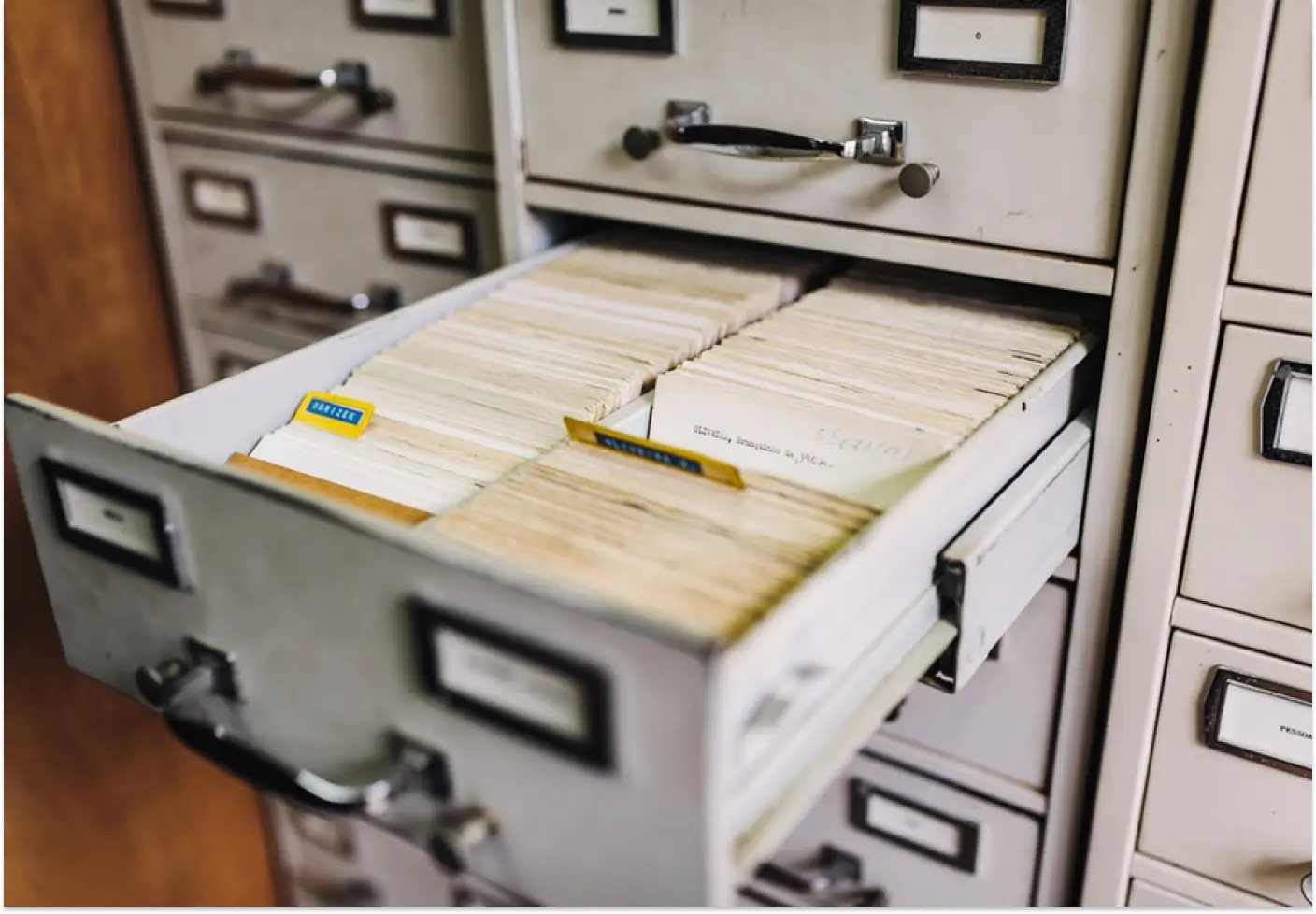
What Is Document Archiving? File Plans, Terms, Disposal
Document archiving explained: what it is, how it differs from document management, and what a document archiving system has to do with terms and disposal.
Digital HR Document Management for the Largest Retail Chain
How the largest Ukrainian retail chain Avrora digitized HR document workflows with softXspace – QES, ERP integration, 1300+ stores.
Banking Processing Automation and Centralisation
Streamline your banking operations with soft Xpansion's Low-Code/No-Code solutions. Manage documents, automate lending processes, optimize board meetings, and centralize data storage with eArchive and Back Office modules.
Document Management on a modern Low-Code/No-Code platform
Low-Code/No-Code platform for enterprise process automation offering solutions like contract management, document handling, centralized eArchive, B2B collaboration, and integration with CRM, ERP, and other services. Features include automated workflows, template-based document creation, and digital signatures